Rotary Encoder Plus Extension for Microbit
TLDR
I “wrote” (with AI assistance — more on that below) an open source code extension that the Microbit foundation accepted. It is now available for students learning to code hardware at makecode.microbit.org. Thanks to the kind folks at Makecode who reviewed my code and added a number of helpful improvements.
Video of a RGB rotary encoder
Code
This open source codebase is available at Rotary Encoder Plus Extension for Microbit. (Real users get this code in the Makecode site, not github page.)
Background
A rotary encoder is an electronic component you find in things like volume knobs. The original iPod dial was a rotary encoder. It rotates forever without stopping and sometimes has a clicking feel when spinning. From a design perspective, it works a bit like two switches: one clicking or the other clicking depending on which way you rotate it. They can also have a button press to select things.
Encoders are fun and great for designing tangible interfaces. I use them in my class.
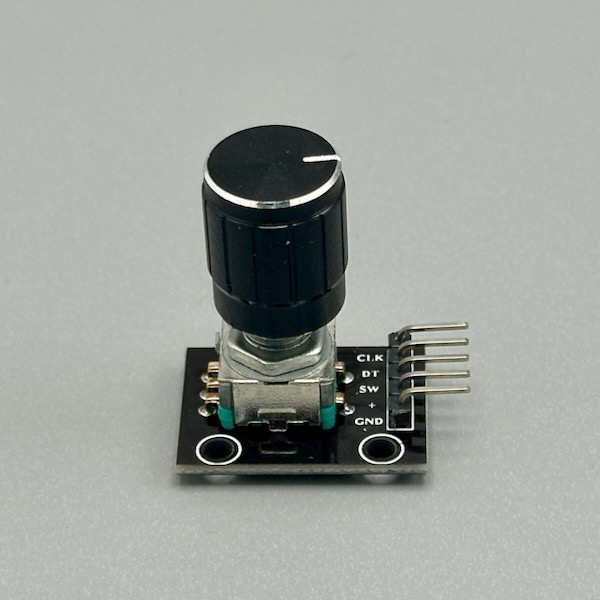
The Problem
Unfortunately, I noticed that the rotary encoder software module (called an “extension”) in the Microbit editor did not work very well. Clicks would fire once, not at all, or twice in unpredictable ways. Some brands just didn’t work. The lack of de-bouncing of the switches meant that the switch is fired unpredictably.
That unpredictability is fatal to a student’s learning confidence.
The way it was coded meant that you could only use one encoder at a time. Our Submarine Steering control showed us that having a couple would be great.
The existing extension has the debugging messages turned on, flooding the serial output, making it basically unusable for students. This project started with simply trying to patch the existing code, but the developer was no longer maintaining it.
There were also smaller “usability” issues. The code didn’t guide the student to connect it to microbit pins that would definitely work. It used terms like “left” and “right” for turning, which were ambiguous.
The Fix
The main fix was to add basic “debouncing” to avoid accidental clicks.
It now supports up to 3 encoders at once.
The new code has a few design tweaks: a simple version for a beginning student, indicating pins that would work, and a more complex option where they could pick what they wanted.
It now says clockwise and counterclockwise (anticlockwise for our friends in the UK ;).
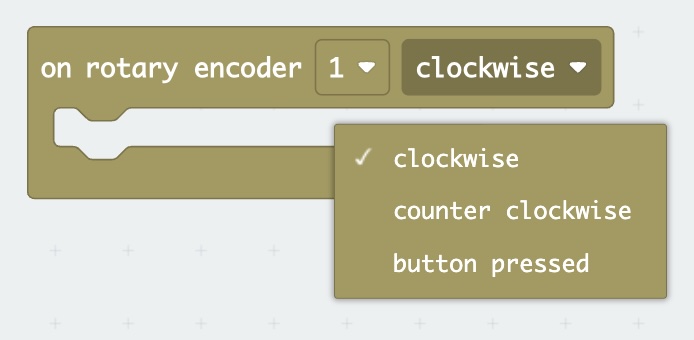
It turns out from my own bin of parts that rotary encoders can be wired slightly differently, so I was able to test against them and make it work.
My Contribution Was What Exactly?
Probably the biggest value I added in here was simply noticing that the code extension didn’t work well for students and caring enough to do something about it. I maybe spent 6 hours on this.
Secondly, I was the QA department for the AI code. Hardware is a blind spot for AI.
Thirdly, I stuck with the contribution process to Makecode. I want to congratulate MakeCode for supporting this learning environment and specifically thank the kind people who reviewed my code and added a number of helpful improvements.
So this was a scratch-your-own-itch kind of project, but hopefully it’ll benefit other students.
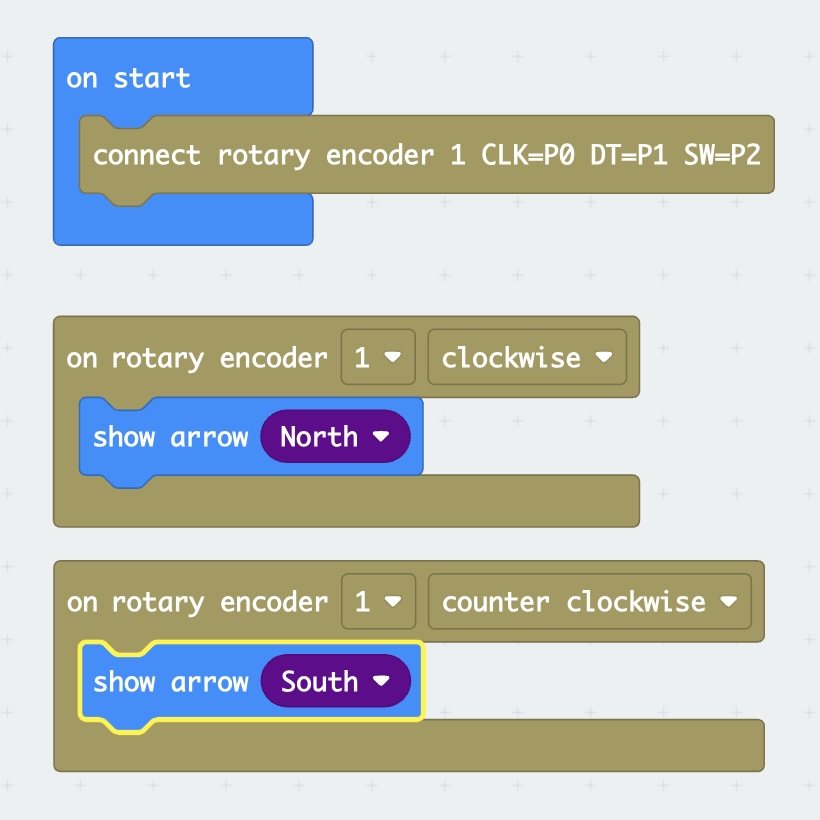
AI coding for good?
One of the interesting aspects is Claude AI analyzed the existing code to find the issues. The rewrite was very quick.
This worked because:
- The application is safe; no self driving cars
- Rotary Encoders are widely used with lots of documentation
- I could test the output
Volunteers with patience and AI assistance can make a difference!