Absolutely Harmless to Humans
Infrared communication is the closest thing we have to sending telepathic messages, at least from your couch. Remote controls surround us; most coffee tables have two or three. These are surprisingly open standards that designers can use to create interfaces with equipment that isn’t otherwise open or hackable. However, the dream of a “Universal” remote has been attempted many times; it tends to fail for a few practical problems.1
Infrared signals are found in almost every remote, but how do they work?
Before infrared remotes, there was the Zenith Flash-Matic (“Absolutely harmless to humans.”)2, a flashlight styled like a Flash Gordon ray gun. It didn’t work so well: the simple photoresistors in the TV would get triggered by direct sunlight. The Zenith Space Commander that replaced it tried sound instead.
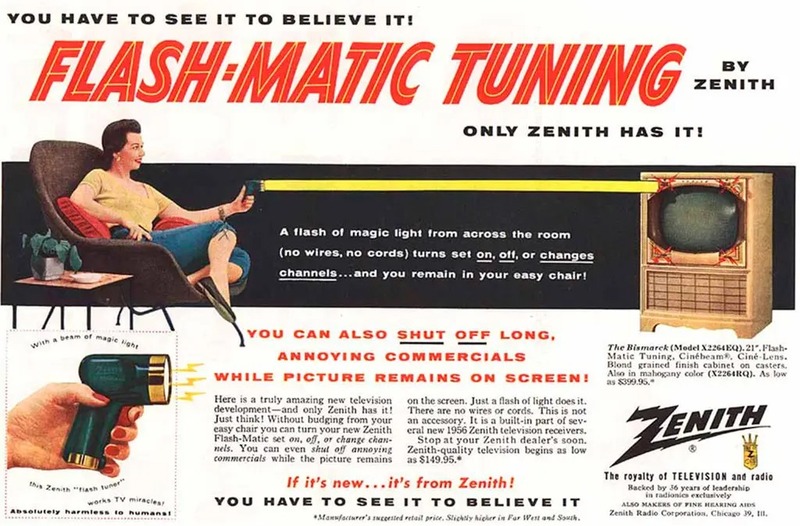 Zenith Radio Corporation advertisement, reproduced in the New York Times.
The problem of accidental triggers, aka “noise,” never went away. Clever engineers designed five layers of solutions on top of each other, and you can see them at work in the NEC protocol driving the projects ahead.
- Engineers switched to the near-infrared spectrum, the not-heat part, which has less ambient activity and, being invisible, doesn’t bother people. They designed around the photodiode, a simple component that reacts to light. An infrared photodiode can be tuned to respond only to certain infrared frequencies, filtering out all the other colors. A standard 940 nm infrared LED can drive almost any consumer remote receiver (TVs, stereos, AC units) because they all use the same basic type of light.
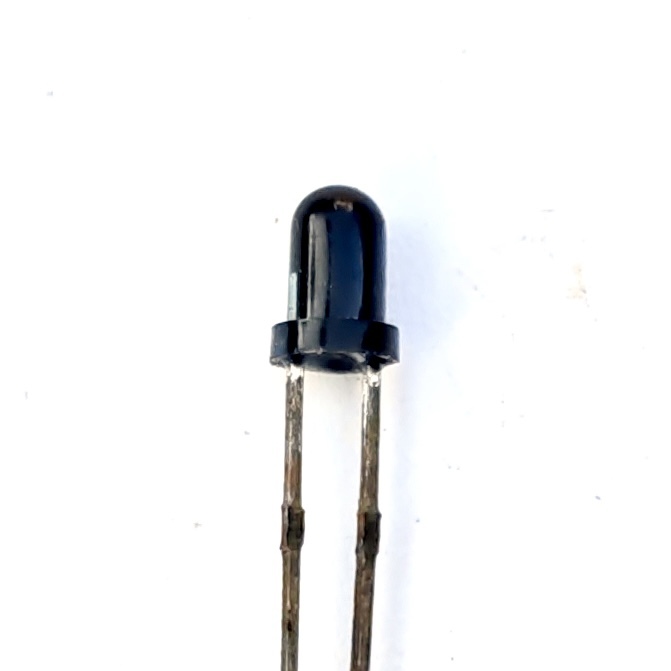 Photo by Suyash Dwivedi, CC BY-SA 4.0, via Wikimedia Commons.
- The real innovation was adding an on/off pulse frequency. An erroneous flash of ambient light is unlikely to land at exactly the right frequency, so it gets rejected. That frequency was standardized around 38,000 pulses a second — way too fast to see even if it were visible light. This “modulation” is done by the remote’s electronics, and just as easily by a microcontroller like the micro:bit. The small black receiver chip (TSOP4838 / TSOP38238 for high end, or cheaper clones VS1838B/TL1838/HX1838) converts the raw infrared signal into a clean series of binary pulses, or “demodulation”. Your electronics doesn’t need to do much to read IR, which is convenient.
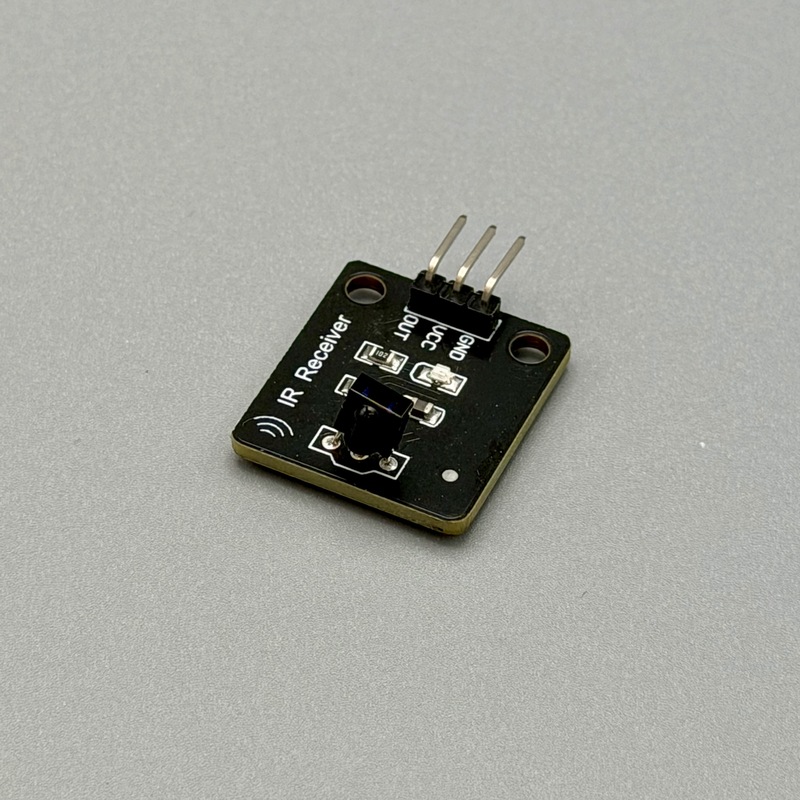 Photo by the Author.
-
Accidental pulses still happen, so a third layer catches them: an error check built into the message itself. NEC’s version is simple — every byte gets sent twice, once straight and once inverted. Flip a bit in transit and the two copies stop matching; the receiver throws out the whole message rather than risk acting on a corrupted one.
-
How does a receiver find the start of a message in a soup of ambient infrared? NEC opens every transmission with a distinctive long burst — 9 milliseconds on, 4.5 milliseconds off — before a single data bit. Nothing natural produces a pulse shaped like that, so the receiver can find the start of a real message and count exactly 32 bits from there.
-
How do you stop a TV remote from also switching the stereo’s input? Split the message into a device address, naming who should listen, and a command, naming what to do. Every device on the coffee table hears every signal; each one just ignores whatever isn’t addressed to it.
Put them together and you get a “protocol,” a shared grammar both sides agree on before a single bit gets sent. Electronics companies don’t collaborate on standards; a standard just happens to be whichever approach wins. In the 1980s, NEC (Nippon Electric Company), maker of many remote controls, defined the de facto standard for consumer electronics remotes anyway. The result today is many vaguely similar but distinct protocols, each defined by a different manufacturer. There is no global registry for address values, so collisions happen, and many device protocols are still unpublished — which is exactly what makes universal remotes so difficult.3
Noise is Designer’s Choice
The designer’s next job is filtering out a different kind of “noise”: accidental button clicks. What happens if someone holds the button down? Reacting to every pulse would raise the volume hundreds of times a second, clearly not what anyone wants; the exact speed of a volume increase is itself a design decision.
Ignoring repeats creates its own problem: how do you tell a first press from the fifth one? Remotes solve this differently. Some send one full packet, then short, distinct REPEAT codes for as long as the button stays down. Others do something stranger — the TCL Roku remote used in the project ahead resends the full command on every repeat, but with the command byte incremented by one and its complement byte decremented to match, instead of sending a proper NEC repeat code. Nothing in the spec says a receiver should expect that. The only way to find out was to capture the real signal and watch the numbers drift.
Project: Read a Toy Remote
To read commands from a remote, you can connect a component with an infrared (IR) receiver chip to the microbit. The Keyestudio kit has a matching mini remote and receiver, with a matching code extension that does the translation for you. In the MakeCode editor, click “Extensions” and search for “makerbit-ir” and add the “MakerBit IR Receiver” extension by 1010Technologies.
- IR VCC → micro:bit 3V
- IR GND → micro:bit GND
- IR Data → micro:bit P0
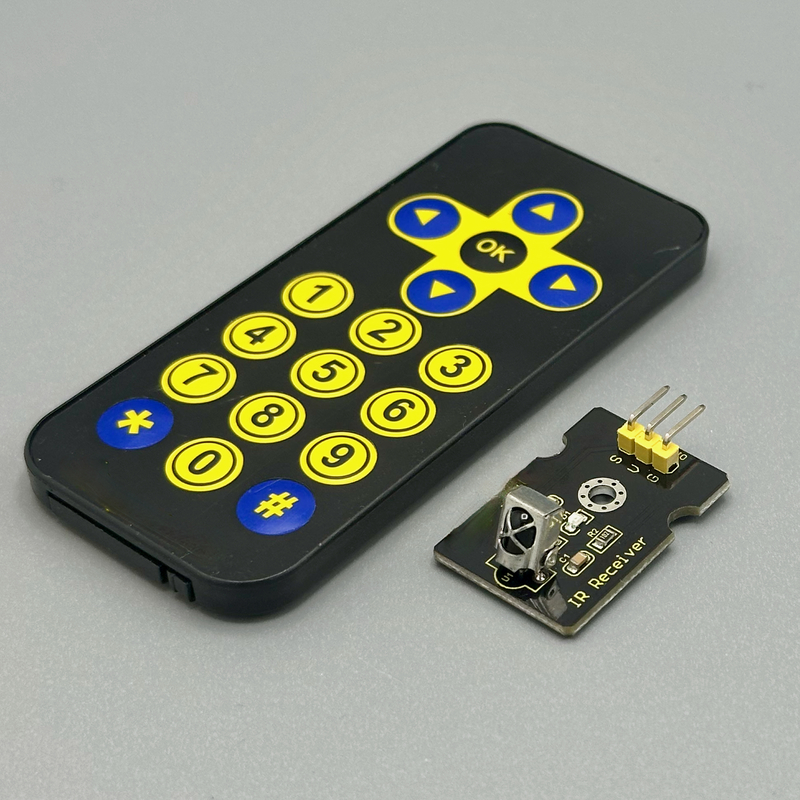 Photo by the Author.
This is a code fragment; full program is at: https://tangible.turbek.com/examples_microbit#ir-remote-reader.
makerbit.connectIrReceiver(DigitalPin.P0, IrProtocol.Keyestudio); // Connect IR receiver on pin 0 using Keyestudio protocol

makerbit.onIrDatagram(function () {
  // This runs every time any IR button is pressed.
  let hex = makerbit.irDatagram();
  let buttonCode = makerbit.irButton(); // turns the hex into a number code specifically for the Keyestudio remote
  let buttonName = "";

  // convert code to a human readable symbol
  switch (buttonCode) {
    case 98:
      buttonName = "^";
      break;
    case 168:
      buttonName = "v";
      break;
    case 34:
      buttonName = "<";
      break;
    case 194:
      buttonName = ">";
      break;
    // and so on
  }

  serial.writeLine("IR hex: " + hex + " buttonCode: " + buttonCode + " buttonName: " + buttonName);
});
With a little trial and error, you can connect the button code to the specific button.
Project: Read your TV Remote
Now that you have an IR receiver working, you can use it with a real remote. There are many protocols, but the NEC protocol is widely used and covered by the same makerbit-ir extension by 1010Technologies.
Conveniently, the inexpensive TCL brand of TVs uses the NEC standard. The buttons from one of their common remotes are shown below.
Your own remote almost certainly uses different codes. Capture them yourself with a little trial and error, matching each button press to its hex code on the serial monitor — search online first to confirm your device even speaks NEC, since debugging a signal you can’t see is frustrating enough without also guessing at the protocol underneath it.
This is a code fragment; full program is at: https://tangible.turbek.com/examples_microbit#ir-remote-reader-for-tcl-tv-remote.
makerbit.connectIrReceiver(DigitalPin.P0, IrProtocol.NEC); // Connect IR receiver on pin 0 using NEC protocol

makerbit.onIrDatagram(function () {
  // This runs every time any IR button is pressed.

  let hex = makerbit.irDatagram();
  let buttonName = "";

  // --- Button Decoder ---
  // TCL Roku remote uses NEC codes (mostly)
  switch (hex) {
    case "0x57E3E817":
      basic.showIcon(IconNames.Skull);
      buttonName = "Power";
      break;
    case "0x57E3F00F":
      basic.showIcon(IconNames.EighthNote);
      buttonName = "Vol+";
      break;
    case "0x57E308F7":
      basic.showIcon(IconNames.QuarterNote);
      buttonName = "Vol-";
      break;

    // Code truncated for readability
  }
  serial.writeLine("IR hex: " + hex + " button: " + buttonName);
});
Project: Control Your TV
Controlling an IR device is just the reverse of reading it; you send the codes back through an infrared LED component.
IR transmitter components are generally weaker than a real remote — test close to the receiver first. Most of these modules drive the LED straight off the signal pin’s own current, which is why range suffers; a dedicated driver transistor powered from a separate battery pack, or simply more LEDs in parallel, both help.
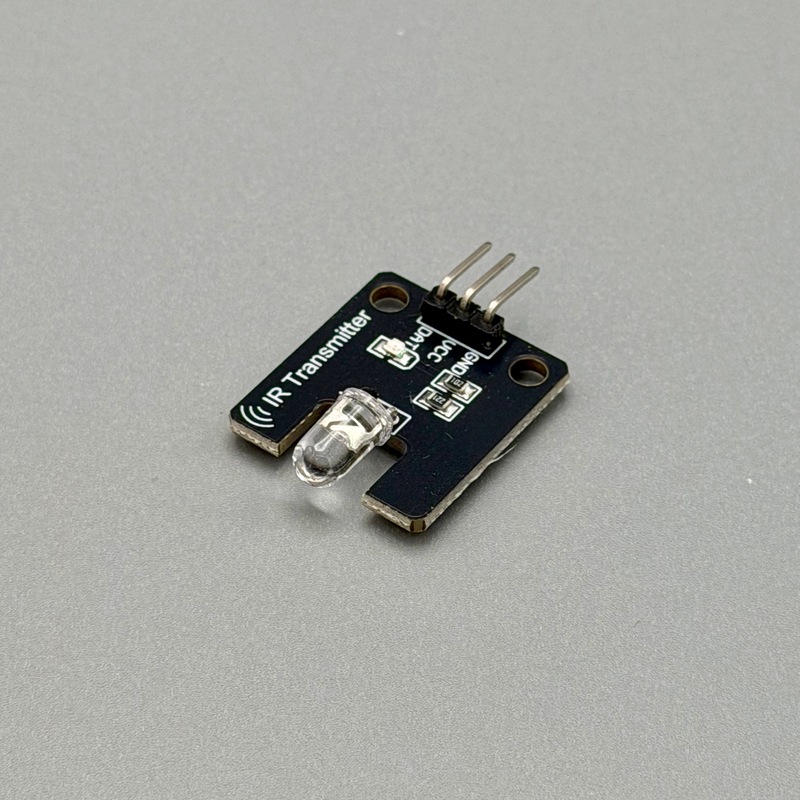 Photo by the Author.
The example below needs a fix for a bug in the standard makerbit-ir-transmitter MakeCode extension that hangs on micro:bit V2 — use this fork instead of the official one until the fix is merged upstream.
This is a code fragment; full program is at: https://tangible.turbek.com/examples_microbit#ir-remote-transmitter-for-tcl-tv.
makerbit.connectIrSenderLed(AnalogPin.P1);

// Codes captured from the real TCL Roku remote via ir_remote_reader_NEC_TCL.ts
const TCL_VOL_DOWN = "0x57E308F7";
const TCL_VOL_UP = "0x57E3F00F";

input.onButtonPressed(Button.A, function () {
  serial.writeLine("Vol-");
  basic.showIcon(IconNames.EighthNote);
  makerbit.sendIrDatagram(TCL_VOL_DOWN);
  basic.clearScreen();
});

input.onButtonPressed(Button.B, function () {
  serial.writeLine("Vol+");
  basic.showIcon(IconNames.QuarterNote);
  makerbit.sendIrDatagram(TCL_VOL_UP);
  basic.clearScreen();
});
Non-Remote Control
Kids growing up in the 70s understood the importance of a TV remote. They were the remote; changing the channel for their parents. As seen before, sending wireless infrared signals has all kinds of challenges. What if… you didn’t?
High end stereo setups have been working with the limitations of infrared remotes for years. IR extender cables bridge the gap between line-of-sight remote controls and audio-visual equipment hidden in a cabinet. These simple devices capture infrared light signals from a remote, convert them into an electrical signal sent through a wire, and re-emit identical infrared light pulses directly at the hidden device’s built-in sensor.
These cables are cheap and can be plugged into your creation. If you record and decode the remote signals, using the above techniques, you teach a “dumb” device to be “smart.”
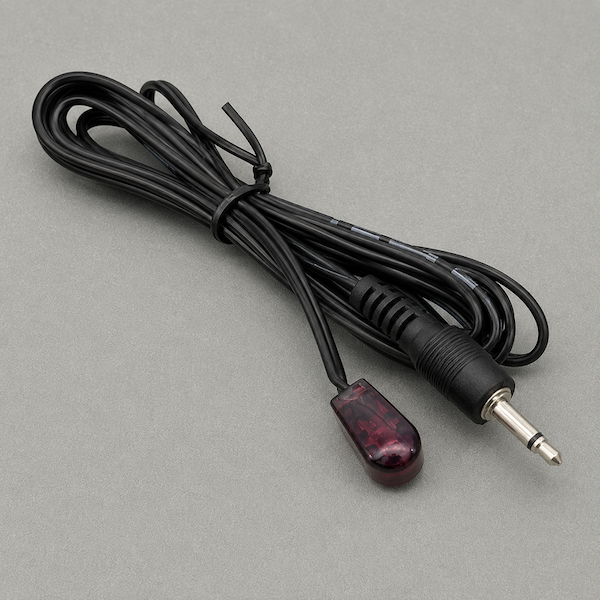 Illustration by the Author.
East, West, Remote is Best
In an early 2010s trip to Tokyo, I interviewed Japanese designers for research on mobile phone UX. The iPhone was a big deal, but Japan was still dominated by “feature phones,” highly sophisticated phones, typically with keypads and smaller screens. They described mobile phone UX at the time (this since has changed) as being defined by hardware. Japan at the time trained enormous numbers of electrical engineers and comparatively few programmers; the infrared remote control was easily manufactured. You didn’t even need to hire a designer!
They were making a subtle interface point as well: The IR remote has no idea what the device is doing and this defines the interface. Infrared only goes one direction. The remote sends; the device receives. It never sends anything back.
Stateless design forces every command to stand completely alone. You need a button for every single action. “Channel up” can’t reference what happened a second ago — it just says “channel up,” again, and trusts the hardware to do the counting. Multiply that constraint across every feature a device has, and the traditional TV or cable remote is what falls out the other end: a dedicated button for everything, because a dedicated button is the only way a one-way protocol can reach anything.
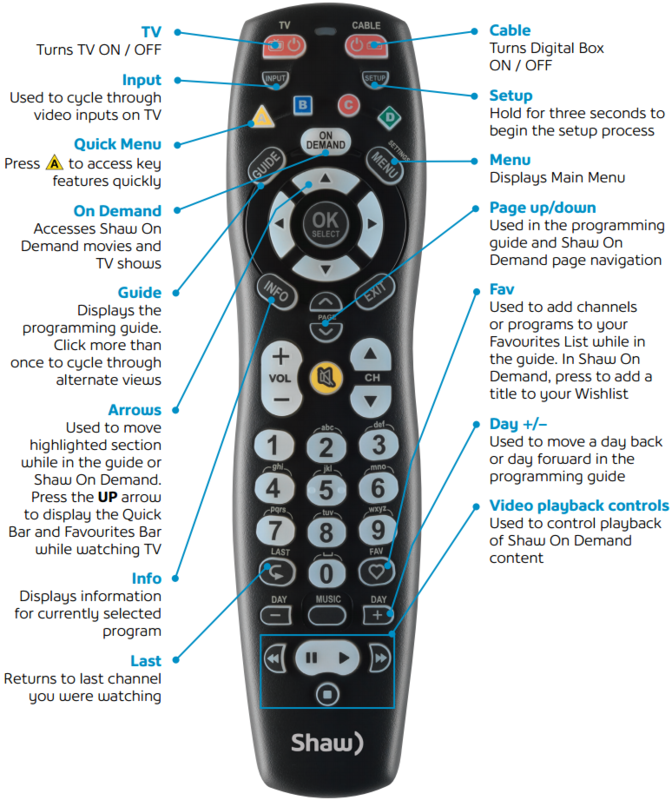
Progressive disclosure — showing the basics first, revealing complexity only when it’s needed is the essential insight that powers UX design. But it depends on a device remembering what a user has already seen. A one-way remote has no “already.” Nothing gets remembered, because nothing gets reported back.
Not every one-way device gives up on state, though. Small appliance remotes — the ones with their own little LCD, an air conditioner’s for instance — track mode, temperature, fan speed, and timer without ever hearing back from the unit they’re pointed at. The trick: they cheat. Every single transmission carries the entire configuration, not just what changed. Press the fan button, and the remote doesn’t send “increase fan speed” — it sends the whole state over again, temperature and all. The receiver never has to remember what came before. It’s told everything, every single time. Clever, but only for simple devices.
The first-generation Apple TV remote elegantly solved this by merging software and hardware. The remote was simple: four directions, and a few special buttons. Every bit of state — what’s on screen, what’s selected, what happens next — lives on the television, not the remote. The remote doesn’t decide anything, so it doesn’t need to know anything. Elegant, but this approach only works with a giant screen the user can read.
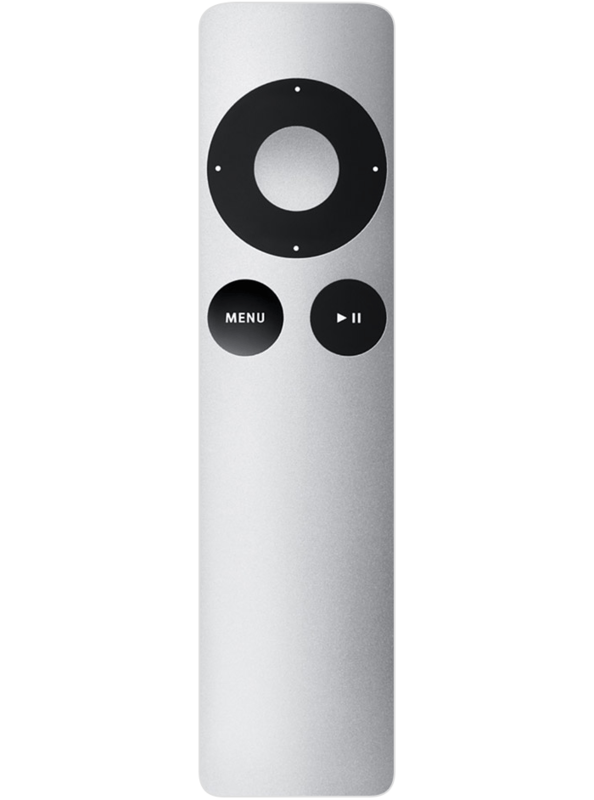 Image © Apple Inc.
-
David Pierce, “The Impossible Dream of the Universal Remote,” The Verge, Jun 14, 2026, https://www.theverge.com/podcast/949620/harmony-universal-remote-version-history. ↩
-
Margalit Fox, “Eugene Polley, Conjurer of a Device That Changed TV Habits, Dies at 96,” New York Times, May 22, 2012, https://www.nytimes.com/2012/05/23/business/eugene-t-polley-inventor-of-the-wireless-tv-remote-dies-at-96.html. ↩
-
Protocol timing and framing details from “NEC Infrared Transmission Protocol,” SB-Projects, https://www.sbprojects.net/knowledge/ir/nec.php. ↩