Which Way Is Up?
While you might not think of “orientation” as one of the five senses, it is probably the one keeping you alive most often. Without knowing which way is up, or which way you are moving, you’d never make it out of bed!
Position and Orientation are so fundamental to our evolutionary heritage and so powerfully integrated that we often don’t even notice we’re using them. This integration is equally true in sophisticated devices like planes, satellites, or mobile phones. When programming for these, engineers will use code that integrates the measurements into a layer of abstraction usable in applications.
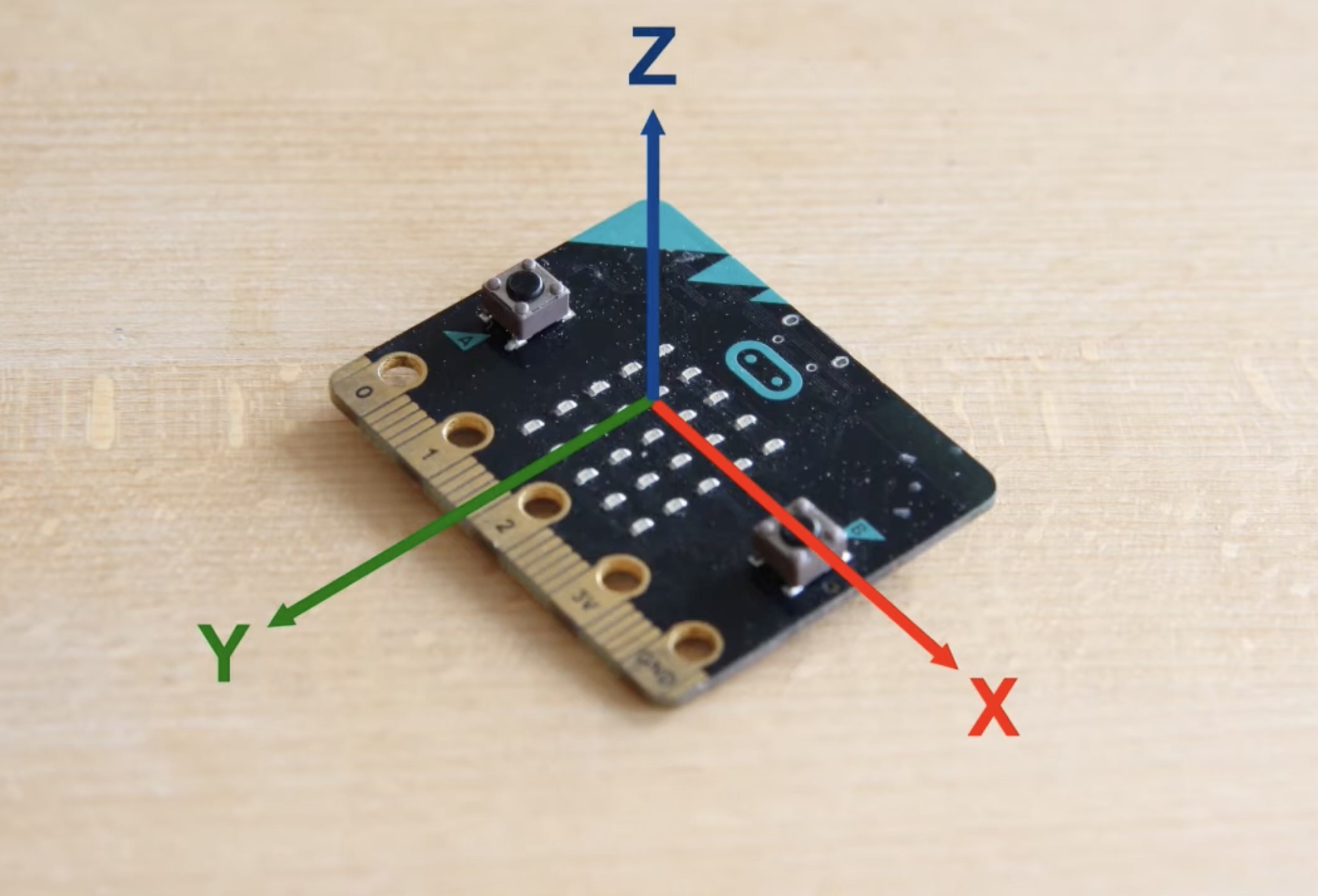 Image Courtesy Gunnar Lund
Which way is up?
Gravity is so universal that it took a long time for people to understand that it was a force at all. Smoke went up, water went downhill, what else was there to know? People knew the moon made the tides, but that was totally unrelated.
Science has progressed a bit since then, telling us that all atoms are attracted to each other, but weakly. Our experience that gravity only goes down is because our planet is so, so large. The gravity of a turkey sandwich or a smartphone is just too small to notice.
Thankfully, our technology can measure this so precisely that it can be used as an input. The microbit has an accelerometer, which measures forces on it across 3 axes (think of them as up/down, forward/back, and left/right). It is a tiny chip called a MEMS (Micro-Electro-Mechanical Systems) with precise silicon “springs” holding a small lump of silicon. Movement, including rotation, stretch and compress the springs, which the chip measures. This miniaturization is an incredible engineering achievement that people have quietly been working on for decades. The accelerometer can measure which way gravity is pulling by measuring all the springs.
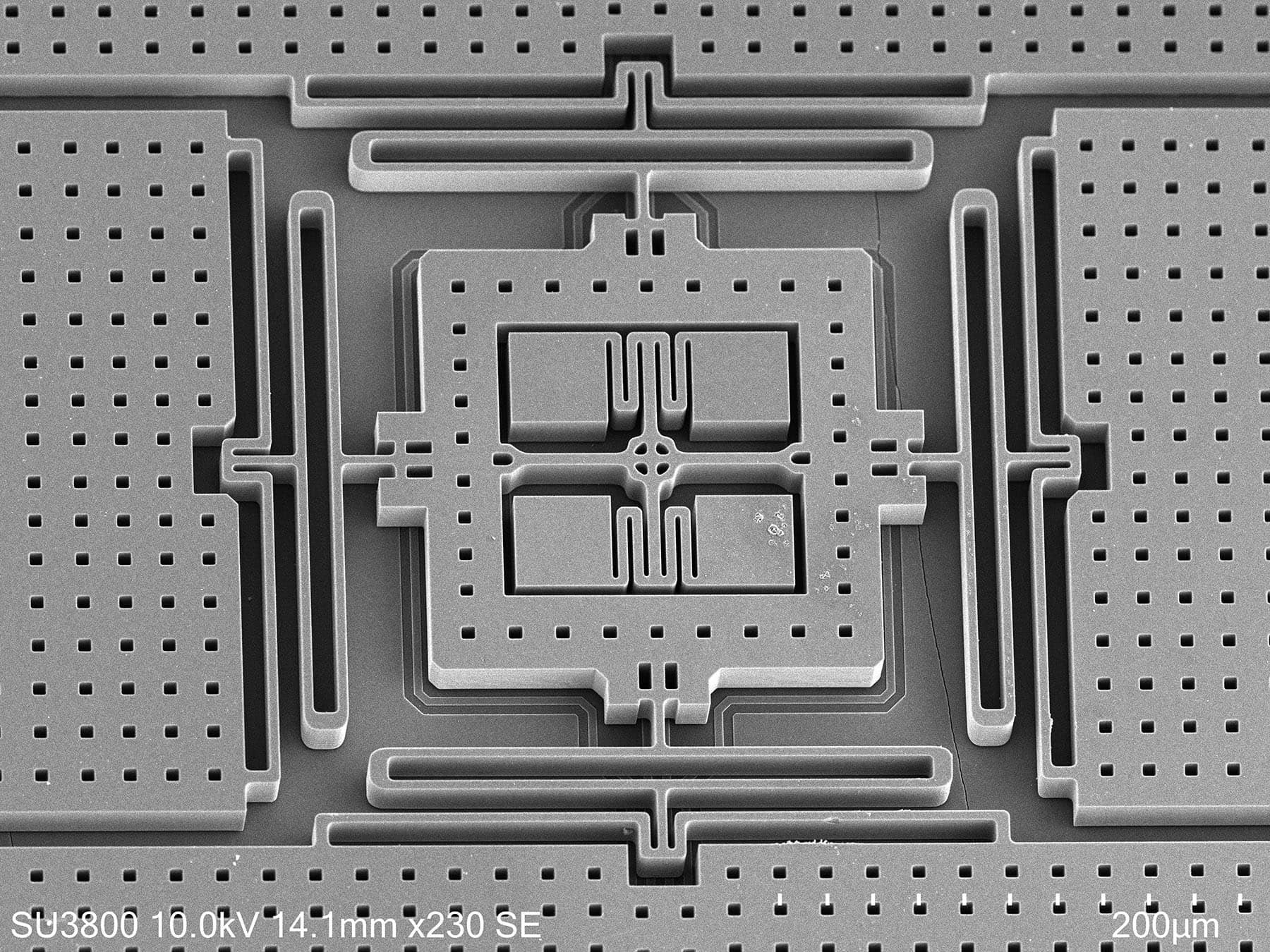 Image Courtesy https://mems.polimi.it/
You can see it on the back of the Microbit
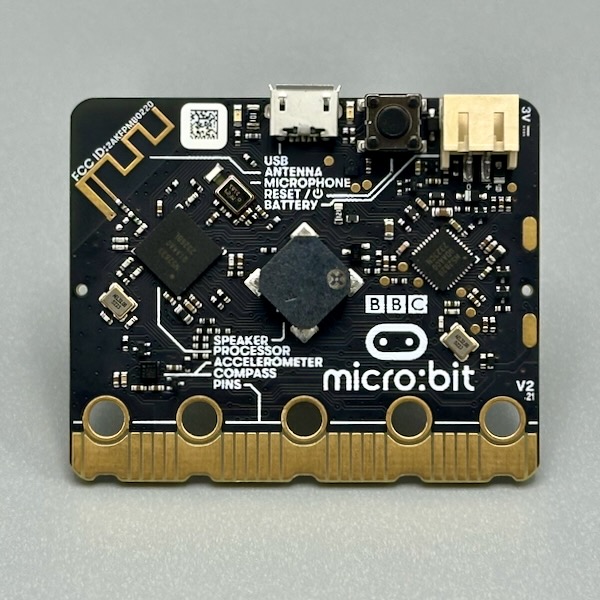
There is a problem with just using an accelerometer though! Our buddy Einstein’s equivalence principle states that gravity and linear acceleration are indistinguishable. When you tilt the sensor, gravity pulls along its sensing axis, which reads identically to the sensor moving in that direction. There is no way to tell the difference from accelerometer data alone.
In professional devices like a phone, you would have an IMU (Inertial Measurement Unit), a package of inertial sensors working together. They come in different bundles:
- 6-DOF (degrees of freedom): 3-axis accelerometer & 3-axis gyroscope
- 9-DOF: adds a 3-axis magnetometer & 3 dimensional compass
- 10-DOF: adds a barometer/pressure sensor for altitude
“Sensor fusion” is the combined measurement of these to describe reality with a truly fantastic amount of theory, hardware, and software to make our devices know which way is up.
The Original Sensor Fusion
You’ve been carrying an IMU around your whole life. Deep in each inner ear are three tiny fluid-filled loops, the semicircular canals, set at roughly right angles to each other like the three axes of a gyroscope. Turn your head and the fluid lags behind, bending little hairs that report the rotation. Next to them sit the otolith organs, a layer of gel weighed down with tiny crystals of calcium carbonate, resting on a bed of hair cells. Otolith literally means “ear stone.” Tilt your head and the weight of the stones pulls the gel downhill. In other words, a small lump of stuff held on springs, just like the MEMS chip.
Which means you have the same Einstein problem. Your ear stones can’t tell tilting back from speeding up. When pilots taking off at night, with no horizon to look at, they can feel the plane pitching steeply nose-up when it is really just accelerating. Accidents happen when they push the plane’s nose down into the ground. It’s called the somatogravic illusion, and it’s why pilots are trained to trust their instruments over their gut.
Most of the time you never notice, because your brain is doing sensor fusion, checking your inner ear against your eyes and the proprioceptive nerves in your muscles and joints. When they disagree, like reading a book in the back seat of a car, you get motion sickness. One theory is that your brain’s best explanation for its sensors disagreeing is that you are poisoned, so it helpfully tries to empty your stomach.
Phone Screen Rotation
Let’s say for the sake of argument that you read or watch videos in bed. You’ve noticed the really convenient feature that turning your phone rotates the contents, but in some cases, tilting the phone slightly rotates the screen the wrong way! Our wonderful user experience designers added a screen rotation lock, but why is that happening? Why doesn’t it know the right way up?
When you’re standing, the phone is roughly vertical and rotates around the roll axis (like a steering wheel), which is what the screen rotation algorithm expects. The accelerometer reads gravity cleanly in that plane.
When you’re lying down, the phone is semi-horizontal and you’re rotating it also around the pitch axis (tilting top-to-bottom), gravity is now coming straight at the screen face. At that angle, small movements create large, ambiguous changes in the gravity measurement across all three axes simultaneously, and the algorithm gets confused about which edge is “down.” The design and software are just focused on normal standing usage.
Another solution is to use a paper book: very resilient to pitch/yaw rotation and, in my testing, hurts less when it hits your head when falling asleep!
 Image AI
Designing with Gestures
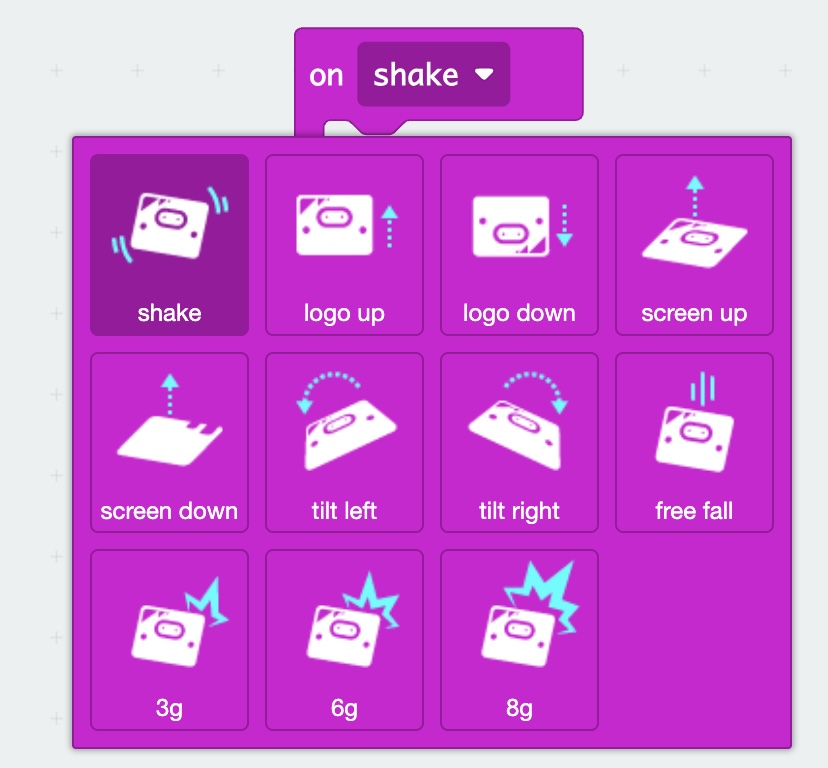
Reading the accelerometer as a continuous stream of values, tilt this much, point that way, is called “polling,” like taking a poll every few milliseconds. But the accelerometer can also answer a different kind of question: did something just happen?
A shake is a recognizable pattern in the accelerometer data, rapid reversals across multiple axes, above a certain threshold, within a short time window. You could write that detection yourself, but the micro:bit’s firmware already does it. Instead of reading a value, you register a callback: a function that runs when the gesture is detected.
This is event-driven programming, and it changes how you think about input. Rather than constantly asking “what is the sensor reading right now?,” you say “tell me when something interesting happens.” Your code wakes up for the event, the hard work is done by the microbit software in the background.
Airbags
Airbags are the highest-stakes application of this idea. The accelerometer inside a car’s crash sensor is doing one thing: waiting for a deceleration event above a threshold that only happens in a collision, roughly 30G, far beyond the impact of a pothole or hard braking. When it fires, an explosive charge inflates the bag in about 30 milliseconds. The entire useful life of that sensor is a single event, which may never happen. It has been waiting, patiently, since the car left the factory.
Gestures have a simple fundamental design: define what “something happened” means in terms of acceleration, then act on it. You can make a good gesture event with a microbit, but please don’t make an airbag!
The Tilt Switch
Before accelerometers were cheap enough to put in everything, designers used a much simpler approach: a spring with a metal ball at the tip, mounted inside a metal tube. At rest, the ball hangs away from the tube wall, the circuit is open. Tap or shake the device and the ball swings out and touches the tube, closing the circuit briefly. Very simple, just a switch: did the ball move or not?
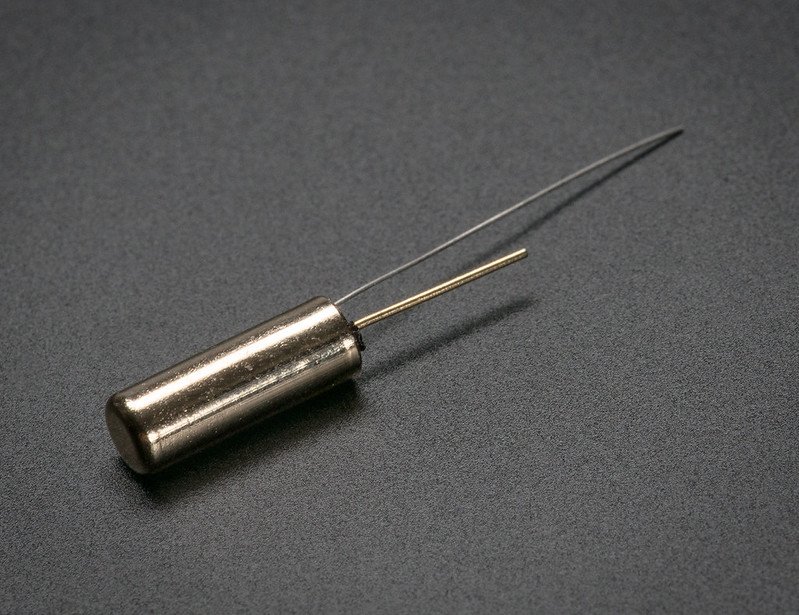 Image Courtesy Adafruit
These sensors, sometimes called tilt switches or vibration switches, are still common in cheap toys, jewelry boxes, and tamper alarms. They cost pennies and require no processing at all. The trade-off is that they have no sensitivity control, no directionality, and can’t tell a gentle tap from a hard one.
The word “tilt” in gaming comes directly from this sensor. Classic mechanical pinball machines had a suspended ball on a ring contact. Rough play, tilting the playing surface, or trying to cheat, ends your turn.
 Image AI
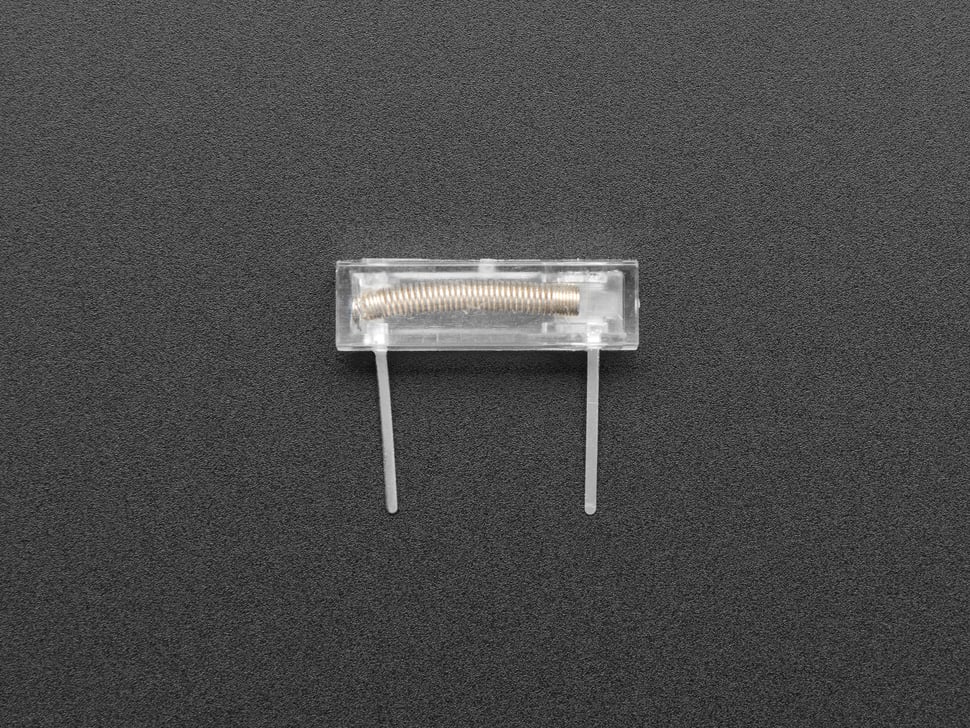 Image Courtesy Adafruit
Step counters work on the same principle at a much more forgiving scale. Walking produces a characteristic bounce in the vertical axis, about 1–2Hz, with a consistent amplitude. The accelerometer watches for that pattern and increments a counter. The reason early step counters were unreliable in a bag or on a bike is that those motions don’t match the walking signature. Modern versions use machine learning to recognize dozens of motion patterns.
Confidently Wrong
Everything in this post fails the same way: the accelerometer, the tilt switch, and your inner ear can be confidently wrong. The number looks plausible, the screen still rotates, the pilot is sure the nose is pointing up. Each sensor answers one narrow question about the physical world, and bad products live in the gap between that answer and what we assume it means. So when you design with sensors, design for the moment the sensor lies. The rotation lock on your phone is an honest answer: we don’t know which way is up right now, so we’re not going to guess.
OK, enough background! Coming up: projects with position, orientation, and motion gestures.