scorbot_controller
Scorbot Robot Controller
Description
Arduino-based motor controller and software for rescued Scorbot ER III robot arm. MIT License.
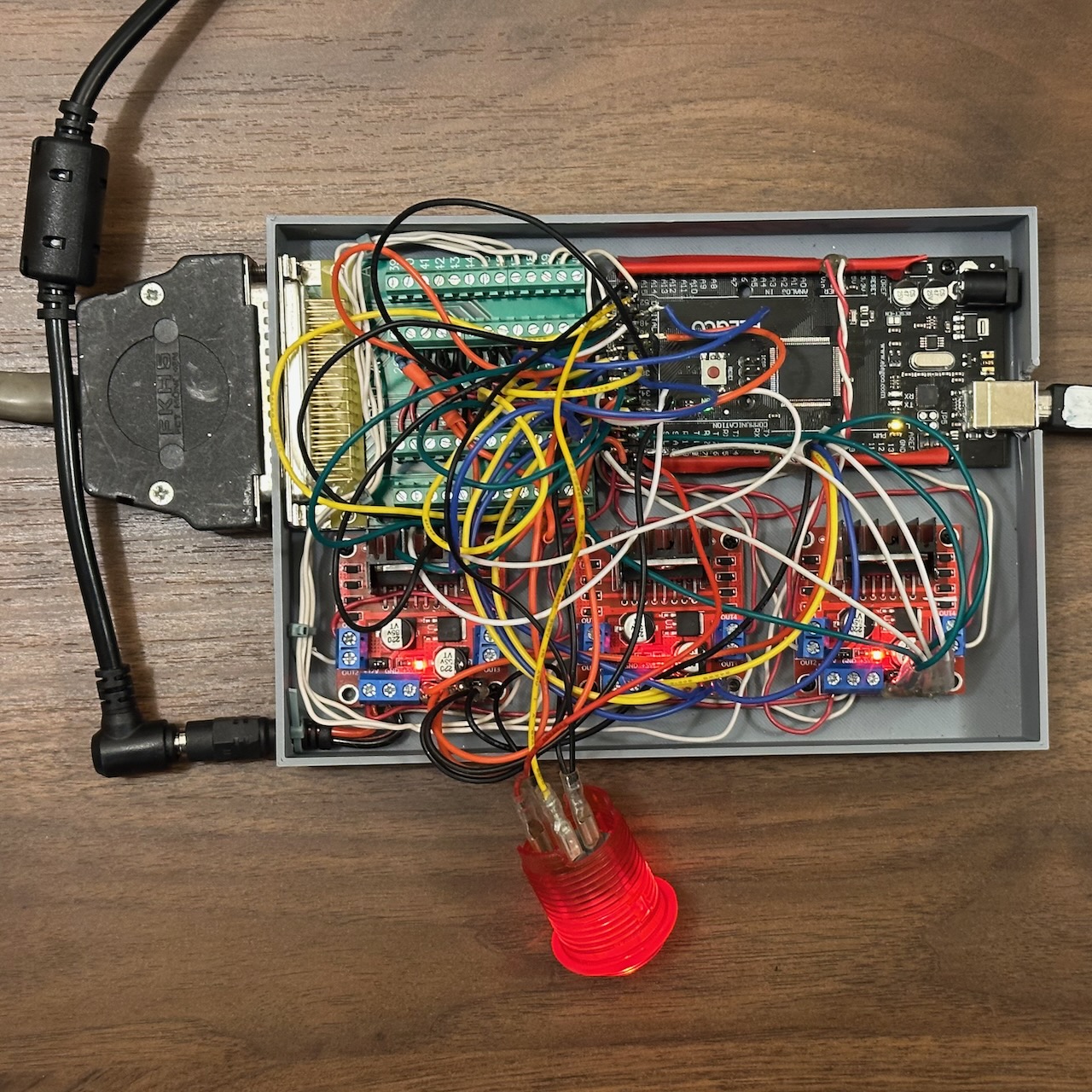
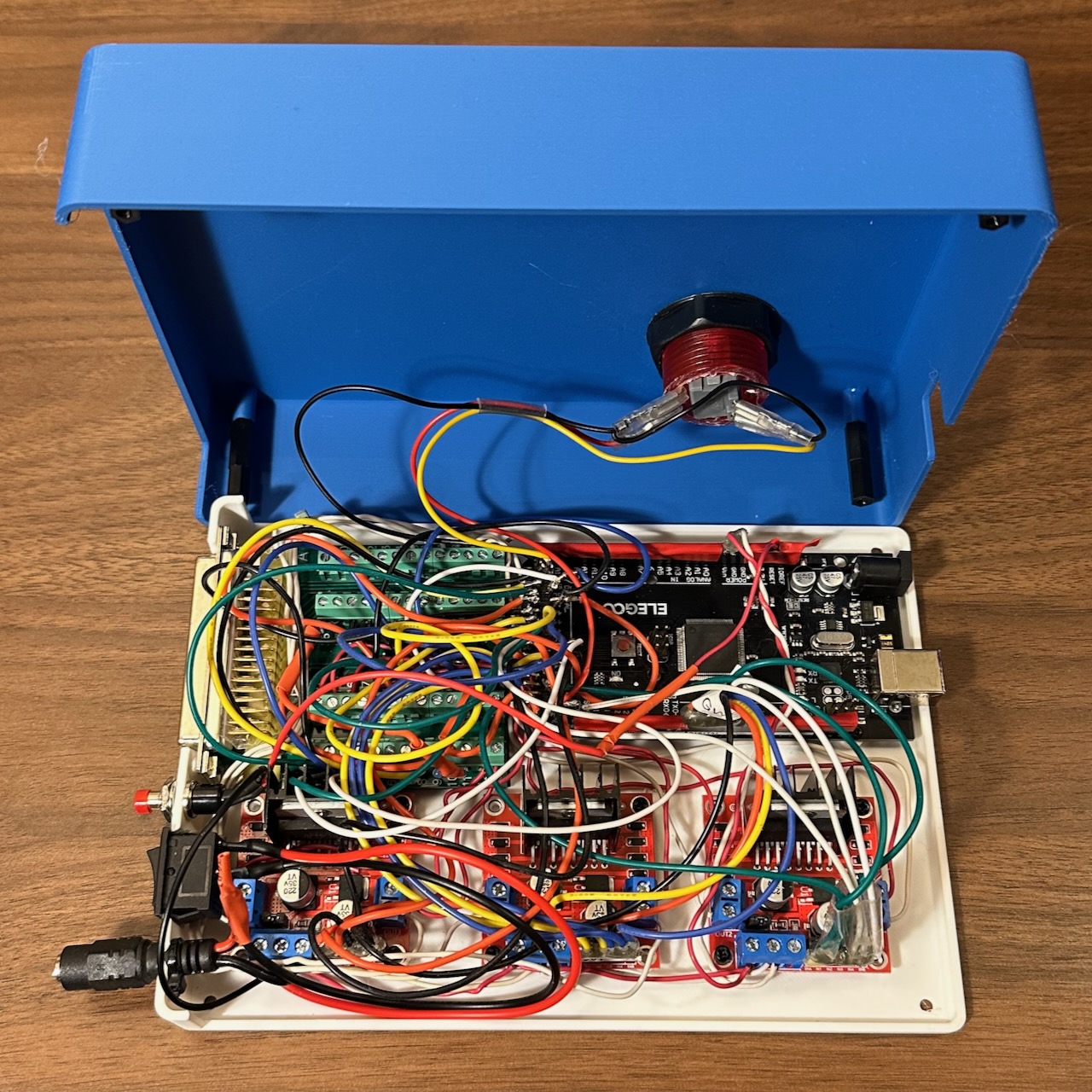
Video of Scorbot start up and simple motion demo
Current Status
Project Status: Complete (Hibernating)
The controller is a demonstration of reviving a Scorbot ER III:
- All 6 axes move with PWM speed control
- All axes home correctly (gripper uses stall detection, others use microswitches)
- Position-based movement via encoder feedback
- Differential wrist control (pitch and roll motors work together)
- Goal-based queue system for sequencing movements
- Emergency stop functionality
- Demo sequence: homes all axes → picks up item → flips it → relocates
Software Quick Start
- Upload firmware: Load
scorbot_controller.inoto Arduino Mega using Arduino IDE - Connect Serial Monitor: 115,200 baud to see debug output
- Power on: Robot will home all axes sequentially, then run the demo sequence
- Modify behavior: Edit the
setup()function inscorbot_controller.inoto change the movement sequence
Example: Adding a movement to the queue
// Create a new goal group (movements in a group run in parallel)
queueCreateGoalGroup("move base and shoulder");
queueAddGoal(MOTOR_BASE, GOAL_MOVE_TO, 1050);      // Move base to position 1050
queueAddGoal(MOTOR_SHOULDER, GOAL_MOVE_TO, -500);  // Move shoulder to -500

// Wait 1 second before next group
queueCreateGoalGroupWait(1000);

// Gripper grab (move until stall detected)
queueCreateGoalGroup("grab item");
queueAddGoal(MOTOR_GRIPPER, GOAL_MOVE_TILL_STALL, 50);
Key Code Entry Points
| File | Purpose |
|---|---|
scorbot_controller.ino |
Main firmware - modify setup() to change demo sequence |
scorbot.h |
Pin definitions, motor structs, speed thresholds |
helpers/pin_test/ |
Diagnostic utility for verifying wiring |
Key Functions
queueCreateGoalGroup(name)- Start a new parallel movement groupqueueAddGoal(motor, goalType, target)- Add a motor goal to current groupqueueCreateGoalGroupWait(ms)- Add a pause between groupsqueueAddGoalsFindHomeAll()- Home all axes sequentiallyqueueStart()- Begin executing the queue
Goal Types
GOAL_FIND_HOME- Search for home switch with edge detectionGOAL_MOVE_TO- Move to encoder positionGOAL_MOVE_TILL_STALL- Move until motor stalls (useful for gripper)
Known Quirks & Lessons Learned
- High PWM required: Motors need high PWM values to overcome static friction. Elbow requires PWM 255; most others need 200+. See
motor_min_CW/CCWinscorbot.h. - Stall detection timing: Shoulder and Wrist Pitch are sensitive and need longer stall detection (400ms vs 100ms for others)
- Gripper has no microswitch: Uses stall detection when closed for homing
- Differential wrist: Wrist Pitch and Roll motors are mechanically coupled. Pure pitch = both same direction; pure roll = opposite directions. Handled automatically in firmware.
- Home base last: Base swings wildly during homing - the code homes it last for safety
- Elbow issues: Had mechanical problems during development; pin 27 connection was loose
Potential Future Steps
The project is complete as a demostration of reviving the Scorbot, but future exploration could include:
- [] add direct joystick control
- [] add Microbit remote control for student project
- [] define and make a demo program, like moving a chess piece from one position to another
- [] define a way to write, store and load “programs” as external files
- [] measure end stops/stalls for each motor; update scorbot.h definitions
- [] Write “clean up” function to position motors near switches so the start up homing process goes faster
- [] add move to end/stall and stop function (good for picking up item with gripper)
Project Log
- January 2026
- Rough layout of parts on a board - the motors move!
- modeled and printed controller case. Much easier thinking after just picking a layout. next time would just print base and areas under the ports.
- Wired up mega, DB-50 connector and 3 L298N’s. My soldering skills are very limited. I would use screw terminal shield for the Arduino Mega next time.
- motors are working, basically. appear a bit slow, but power supply seems to be working. Desktop power supply reads roughly .5amps when motors are running.
- the motors seems to need a high PWM value to move at all. I tested voltage across 12v power supply and PWM and appear in range.
scorbot.his where I’m storing definitions and shared functions/helpers/has working test fileshelpers/pin_test/pin_test.inowas looking for shorts, etc in the arduino mega pins, due to my clumsy work. surprisingly I got it right on the first tryhelpers/motor_only_test/motor_only_test.inojust moves the motors back and forthhelpers/base_motor_test/base_motor_test.inois testing for homing and encoders for just the base motor- Scorbot ER-4U seems to be essentially the same machine
- note that Shoulder, Elbow, Wrist Pitch are built in such a way that wrist pitch remains consistent relative as shoulder and elbow move. Moving the shoulder does NOT simply swing the gripper tip relative to the shoulder. Moving the shoulder rotates the elbow to keep the wrist pitch steady. This is cool / confusing. probably needs kinematics
- Arduino IDE is pretty slow. VS Code extension for arduino has been deprecated. PlatformIO looks too complicated for this project. Arduino Community Edition might work, but CLI, etc are too complicated at this point
- installed CLANG to VSCode to get linting/formatting
- MOTOR_ELBOW was a big pain, would not go CCW. turned out the CCW pin (arduinio pin 27) was loose
-
added Queue system to make sequence of actions
- add move to position
- add queue of goals, with parallel and sequential steps
- add all stop with interrupt
- make ‘home’ the CW clockwise side of the microswitch. there are ~200 encoder steps where the switch is depressed as the arm moves across the button.
- gripper home is stall when closed
- wrist pitch and roll movements depend on motors 4-5 working together differential drive
- shoulder find home
- write arduino code to get arm to move to home position
- make replacement microswitch cams
- 3D model top of case
- December 2025
- modeled
scorbot joint cover with microswitch cam.stl, printed and replaced cams. 1 original cam remains - ordered L298Ns, Arduino Mega, power supply
- modeled
- August 2025
- Got Scorbot ER III discarded by friends at NYC First. No controller or documentation
- serial number 2090047 model “robot”
- identified it as scorbot ER iii, found documentation and github projects.
- Motors can be moved with basic 12v .5A power.
- Gripper does not move, carefully opening it, seems like encoder case is bent, propellor hitting encoder and LEDs
- Wrist roll microswitch is hanging off, which may be related.
- I’m going to run motors on 12v power
- all 5 microswitch work from switch leads and the pins
- microswitch cam discs that trigger switches at home point are broken for shoulder, elbow, wrist. for shoulder, using broken pieces, looks like trigger radius is 30mm, clearance is 26-28mm. cup depth is 10mm, center hole dia is 6mm
- Repaired the Gripper motor and the encoder, which was banged in. microswitch re-attached
- gripper motor plate uses unusual 3.5mm hex for screws
- using multimeter on Gripper and base, it seems motor encoders work!
- Motors do NOT have auto stop switches at ends of rotation. assume they do it in software
- cams are missing, but based on base, the ‘home’ position, where microswitch is, should be the center of movement.
- confirmed Gripper encoder works, hand spinning disc. 47 ohm resistor works to LED. LED is infrared, not visible. photoresistor needs 10k pull up to 5v each to pin 0 and 1, where signal is read. (Arduino has this built in)
- assuming other encoders work, proceeding with buying parts
- arduino mega has 5v outputs
- L298N H bridge enable pins can be PWM’d for speed control
Project Goals
This is a messing around, learning project inspired by a free robot arm. The Scorbot ER III is a circa 1995 robot. So simple, maybe even I can work with it!
The goals of the project are to
- Learn
- Restore the basic functionality of movement and encoders
- Design and build an arduino based controller that accepts a joystick-type controller and data input to operate.
- Enable design students to design and build a microbit based joystick controller
- Design and build a case
When might I quit this project?
- If motors, or encoders stop working
- If costs go above $200
- If effort goes beyond a few weeks
Project Parts List
- Scorbot ER iii robot arm, without controller or Teaching pendant (~$400-1000)
- Arduino-type Mega board
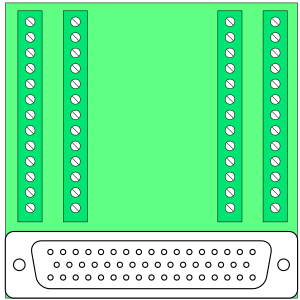
- D-50 style connector board
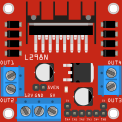
- L298N dual h bridge motor controller
- 12v 10 amp power supply
Scorbot Description
Summary
| Specification | Value |
| Mechanical Structure | Vertically articulated |
| Axes | 5 axes plus gripper |
| Control | 8 axes simultaneously |
| Working Envelope | |
| Axis 1: Base Rotation | 310° |
| Axis 2: Shoulder Rotation | +130° / –35° |
| Axis 3: Elbow Rotation | ±130° |
| Axis 4: Wrist Pitch | ±130° |
| Axis 5: Wrist Roll | Unlimited |
| Maximum Working Radius | 610 mm (24.4”) |
| Gripper Opening | 75 mm (3”) without rubber pads 65 mm (2.56”) with rubber pads |
| Maximum Work Load | 1 kg (2.2 lb.) |
| Transmission | Gears, timing belts and lead screw |
| Actuators | 6 DC servo motors with closed-loop control |
| Feedback | Optical encoders on all axes |
| Hard Home | Fixed reference position on all axes |
| Repeatability | ±0.5 mm (±0.02”) |
| Maximum Speed | 330 mm/sec. (13”/sec.) |
| Weight | |
| Robot Arm | 11 kg (24 lb.) |
| Controller | 5 kg (11 lb.) |
Original power supply
-
- 15V, 4A, unregulated, supplies power to the robot motors.
- –15V, 4A, unregulated, supplies power to the robot motors.
-
- 5V, 1.5A, regulated, supplies power to the microprocessor, the memory and the logic in the control circuit.
-
- 12V, 0.4A, regulated, supplies power to the I/O circuitry outputs, and to the RS232 communications.
- –12V, 0.4A, regulated, supplies power to the RS232 communications.
Motors
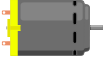
- Motors 1,2,3 Pittman GM9413G608 127.7:1 ratio
- Motors 4,5 Pittman GM9413F759 65.5:1 ratio
- Motor 6 Gripper Pittman GM8712F297 19.5:1 ratio
Scorbot Cable connector
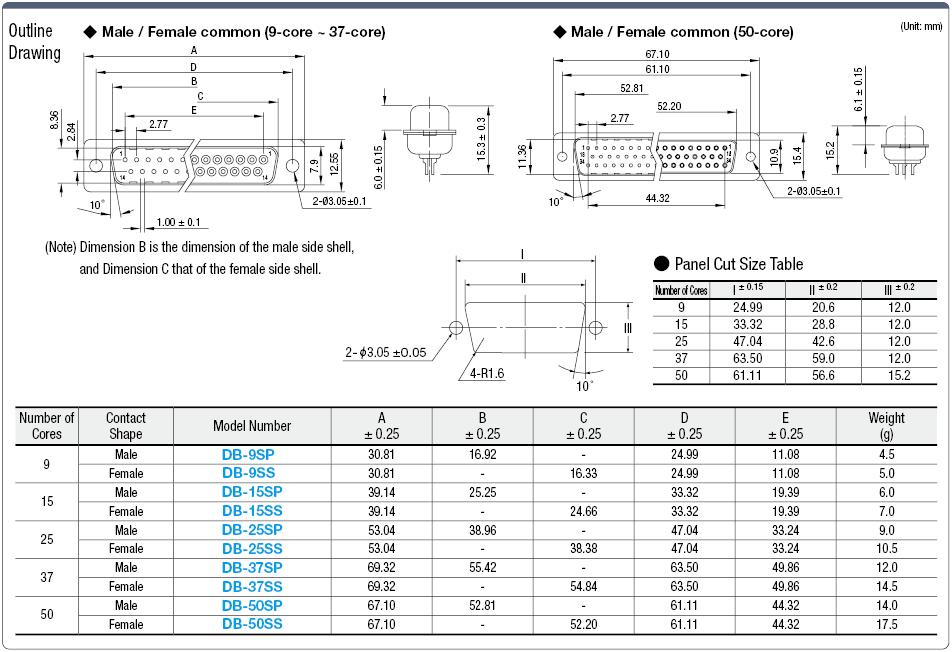
The Scorbot cable connector is an DB 50 cable. Connectors and breakout boards that fit are available at Amazon or Ali Express. DB 50 connector Specification DB50 diagram

Here is the pin numbers (looking at the male scorbot cable connector pins)
────────────────────────────────────────────────────────────────────────────────────────────
╲   (1)  (2)  (3)  (4)  (5)  (6)  (7)  (8)  (9)  (10) (11) (12) (13) (14) (15) (16) (17)   ╱
 ╲    (18) (19) (20) (21) (22) (23) (24) (25) (26) (27) (28) (29) (30) (31) (32) (33)     ╱
  ╲ (34) (35) (36) (37) (38) (39) (40) (41) (42) (43) (44) (45) (46) (47) (48) (49) (50) ╱
    ─────────────────────────────────────────────────────────────────────────────────────
SCORBOT ER III WIRING GUIDE
TABLE 1: DB-50 CONNECTOR TO ARDUINO MEGA
| DB-50 Pin | Motor | Joint | Signal | Arduino Pin | L298N Board | L298N Input | L298N Output | Notes |
|---|---|---|---|---|---|---|---|---|
| 1 | 2 | Shoulder | Encoder P0 | 36 | ||||
| 2 | 1 | Base | Encoder P0 | 34 | ||||
| 3 | 5 | Wrist Roll | Encoder P1 | 43 | ||||
| 4 | 3 | Elbow | Encoder P1 | 39 | ||||
| 5 | 1 | Base | Encoder P1 | 35 | ||||
| 6 | 5 | Wrist Roll | Microswitch | 50 | ||||
| 7 | 2 | Shoulder | Microswitch | 47 | ||||
| 8 | 4 | Wrist Pitch | Microswitch | 49 | ||||
| 9 | 5 | Wrist Roll | Encoder LED | 5V via 47Ω | ||||
| 10 | 3 | Elbow | Encoder LED | 5V via 47Ω | ||||
| 11 | 1 | Base | Encoder LED | 5V via 47Ω | ||||
| 12 | 6 | Gripper | Motor + | 32 | 3 | 3 | 3 | |
| 13 | 5 | Wrist Roll | Motor + | 30 | 3 | 1 | 1 | |
| 14 | 4 | Wrist Pitch | Motor + | 28 | 2 | 3 | 3 | |
| 15 | 3 | Elbow | Motor + | 26 | 2 | 1 | 1 | |
| 16 | 2 | Shoulder | Motor + | 24 | 1 | 3 | 3 | |
| 17 | 1 | Base | Motor + | 22 | 1 | 1 | 1 | |
| 18 | 5 | Wrist Roll | Encoder P0 | 42 | ||||
| 19 | 6 | Gripper | Encoder P1 | 44 | ||||
| 20 | 4 | Wrist Pitch | Encoder P1 | 41 | ||||
| 21 | 2 | Shoulder | Encoder P1 | 37 | ||||
| 22 | 6 | Gripper | Microswitch | - | manual says not connected | |||
| 23 | 1 | Base | Microswitch | 46 | ||||
| 24 | 3 | Elbow | Microswitch | 48 | ||||
| 25 | 6 | Gripper | Encoder LED | 5V via 47Ω | ||||
| 26 | 4 | Wrist Pitch | Encoder LED | 5V via 47Ω | ||||
| 27 | 2 | Shoulder | Encoder LED | 5V via 47Ω | ||||
| 28 | 6 | Gripper | Encoder GND | GND | ||||
| 29 | 5 | Wrist Roll | Switch & Encoder GND | GND | ||||
| 30 | 4 | Wrist Pitch | Switch & Encoder GND | GND | ||||
| 31 | 3 | Elbow | Switch & Encoder GND | GND | ||||
| 32 | 2 | Shoulder | Switch & Encoder GND | GND | ||||
| 33 | 1 | Base | Switch & Encoder GND | GND | ||||
| 34 | 6 | Gripper | Encoder P0 | 45 | ||||
| 35 | 4 | Wrist Pitch | Encoder P0 | 40 | ||||
| 36 | 3 | Elbow | Encoder P0 | 38 | ||||
| 37 | - | - | - | - | ||||
| 38 | - | - | - | - | ||||
| 39 | - | - | - | - | ||||
| 40 | - | - | - | - | ||||
| 41 | - | - | - | - | ||||
| 42 | - | - | - | - | ||||
| 43 | - | - | - | - | ||||
| 44 | - | - | - | - | ||||
| 45 | 6 | Gripper | Motor - | 33 | 3 | 4 | 4 | |
| 46 | 5 | Wrist Roll | Motor - | 31 | 3 | 2 | 2 | |
| 47 | 4 | Wrist Pitch | Motor - | 29 | 2 | 4 | 4 | |
| 48 | 3 | Elbow | Motor - | 27 | 2 | 2 | 2 | |
| 49 | 2 | Shoulder | Motor - | 25 | 1 | 4 | 4 | |
| 50 | 1 | Base | Motor - | 23 | 1 | 2 | 2 | |
| - | 1 | Base | PWM (motor speed) | 7 | 1 | ENA | ||
| - | 2 | Shoulder | PWM (motor speed) | 6 | 1 | ENB | ||
| - | 3 | Elbow | PWM (motor speed) | 5 | 2 | ENA | ||
| - | 4 | Wrist Pitch | PWM (motor speed) | 4 | 2 | ENB | ||
| - | 5 | Wrist Roll | PWM (motor speed) | 3 | 3 | ENA | ||
| - | 6 | Gripper | PWM (motor speed) | 2 | 3 | ENB | ||
| - | - | - | - | 52 | Emergency Stop Button |
TABLE 2: POWER CONNECTIONS
| Component | Connection | Source | Notes |
|---|---|---|---|
| Arduino Mega | 12V Vin | Common 12v plug or Barrel Jack | Powers logic |
| Arduino Mega | GND | Common Ground | Shared with all components |
| L298N Board 1-3 | 12V | 12V 10A Power Supply | Motor power |
| L298N Board 1-3 | GND | Common Ground | Shared ground |
| Encoder LEDs (6x) | 5V | Arduino 5V via 47Ω resistor | One resistor per encoder |
| Encoder LEDs GND | GND | DB-50 pins 28-33 | Common ground |
SERIAL COMMUNICATION
| Function | Arduino Pin | Purpose |
|---|---|---|
| TX | 18 | Serial1 - transmit to joystick controller |
| RX | 19 | Serial1 - receive from joystick controller |
WIRING TIPS
- Label everything - use labels/tape on wires at both ends
- Color coding:
- Red: 12V power
- Black: GND
- Yellow/Green: encoders
- Blue: microswitches
- Other colors: motor control signals
- Use a breakout board for the DB-50 connector
- Bundle by function - keep motor, encoder, and switch wires separated
- Consider a prototype shield or custom PCB for clean organization
Spec sheets and Manuals
CAD
- SCORBOT ER4u Robotic Arm
- L298N dual H bridge motor controller
- DB50 Connector
- DB50 dimensions
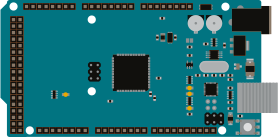
- Arduino Mega
Diagrams
Scorbot GitHub Projects
| Project Name | Associated Web Pages | Brief Description |
|---|---|---|
| Scorbot | • GitHub My Name is Scorbot Scorbot learns to draw” |
Arduino MEGA-based controller for Scorbot ER-V with 6-encoder system, custom PCB shield, and Python drawing capabilities. Complete reverse engineering from junkyard condition. |
| robotic-arm | • Scorbot ER-III Manual | Custom controller replacement for Scorbot-ER III with serial and hard-coded control modes. Arduino-based system with comprehensive reference documentation. |
| Scorbot | • Author’s Portfolio • CS 287: Advanced Robotics Course |
Arduino-based joystick controller for Scorbot robotic arm as cost-effective alternative to expensive original controller. Georgia Tech ECE project. |
| Scorbot-ER-V-Simulator-Controller | • Hackster.io Project • Arduino Project Hub • Author’s Website • ResearchGate Profile |
Professional-grade MATLAB simulation software and hardware controller for Scorbot ER-V+ with PID control, ROS integration, and industrial safety features. |
| OpenScorbot | • Author: Software Engineer at Casa-Systems | Complete open-source hardware/software controller replacement for SCORBOT ER-IX. |
| ScorBotToolbox | • USNA Documentation • MATLAB File Exchange • Legacy MTIS Toolbox |
MATLAB toolbox for interfacing and simulating Intelitek ScorBot-ER 4U educational robot with comprehensive control and visualization capabilities. |
| ED-Scorbot | • University Research Page • ROS Simulation |
Event-based Scorbot ER-VII platform for neuromorphic research with spike-based controllers, FPGA integration, and spiking neural networks. |
| scorbot | • Limited documentation available | Scorbot ER-VII implementation with basic functionality. |
| SCORBOT-ER-VII | • Gazebo simulation files included | Contains simulation files for Scorbot ER-VII in Gazebo robotics simulator environment. |
| scorbot-simulator | • YouTube Demo • Documentation |
Unity-based Scorbot simulator with graphic interface, includes video demonstrations and comprehensive Doxygen documentation. Built with Unity 2017.4.1f1. |
| openScorbot | • Spanish documentation included | Free controller for Scorbot ER-4U with Python 3.6.9 and Qt 5 Designer GUI. |
| scorbot | • Processing-based interface documentation | Processing code for mouse-controlled Scorbot-ER V Plus with coordinate mapping system. Future goal: Game of Life with marbles. |
| scorbot_config | • CraigCode1010.com • Complete SAC project documentation |
Configuration files for Scorbot integration with MoveIt motion planning framework. Part of SAC (Scorbot Arm Control) project. |
| sac_description | • Project Documentation • ROS system topology details |
ROS package with URDF descriptions for Southern Adventist University robotic arm simulation, includes Scorbot modeling for Gazebo. |
| r2d3 | • Cross-platform simulator documentation | Free robotic manipulator simulator using Blender and Python, specifically designed for Scorbot ER-V with forward/inverse kinematics and ACL programming support. |
| sboter4u | • Scorbot ER4U robot configuration using Moveit |